The Rainman blog has officially moved to Wordpress. If you have not already been redirected, please follow the link below:
http://creative.rainman.com/blog/

Wednesday, June 29, 2011

Have you ever heard of a QR Code?
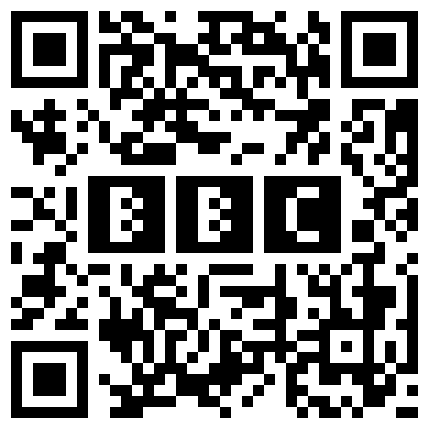
I seem to be asking this question alot lately, mostly due to the awesome things we are experimenting on with them and how excited I am about it. And the answer I most often Get...? No, and Yes.
You see, a QR Code is that little Square Bar Code You See floating around on TV, in Magaizines and The Internet. But most people I have talked to didn't know that was called a QR code. They also didn't know how many amazing Social Media related things you can do with them.
Right now, I have been toying around with a Page for which people scanning a QR Code can go to, that acts as a simple and fresh-looking navigation page to all the Social Media and Web aspects of our Clients Portfolio, as well as one for Rainman.com. This will allow anyone, anywhere on a mobile device with a QR code reader app, to scan the QR code and be instantly taken to this Landing page, where they can be directed to a client's Website, Facebook or Twitter page, their Blog, Youtube, or Linked In address as well as watch Videos, view maps, or even Contact them directly. All from a page that is easy to read from a Smart Phone or Tablet, with no need to type or even know the address! How is this done do you ask?
A QR code can be easily programmed to go to any URL on the web, all with a simple scan. Most Smart Phones and tablets have a downloadable QR code Reader App, and New Blackberries even come with them Standard. When scanning, the mobile device uses the Camera to take an image and scan it. The QR code can be on anything, like printed on a business card, a poster or a T-shirt, or even just displayed on another phone! The Scanner reads the QR code, and automatically opens a web browser and navigates to the site encoded on it. This allows a user to just hand out QR coded branding, rather than forcing everyone to remember their Websites Address. Anyone can then see your simplified, Phone-Friendly site, right on their Smartphone or Other Devices. But the possibilities don't end there...
More Experimentation is to come, and more excitingly cool tasks QR codes can be set to do...
Look Forward to them.
James Karthauser
Developer
Wednesday, June 22, 2011
I like Twitter, finally.
As a social media manager for Rainman, and embracer of all things social media related, I was surprisingly hesitant to adopt Twitter. Initially I was more than annoyed by the #, RT, FF, @, and 140 character limit on Twitter. I love Facebook, love blogging, but Twitter really lacked the two things I love most- photos and in depth information, or so I thought.
After looking into Twitter and creating a personal account I began to follow a few of my friends, a few of my favorite TV shows, local organizations I like, and a few of my favorite bloggers. For the first few months I simply watched everyone on Twitter, read tweets, and unintentionally figured out how everything worked, simply by watching others.
Not long ago I caught myself wanting to chime in on a few hot topics, and gave it a try. I was surprised to see how instantaneous Twitter responses can be. In mere minutes I had answers to questions, more information on topics, and could find an entire web of conversation developed around my desired topic. At this point I found myself hesitantly in love with the hashtag.
I have also found that Twitter is one of the quickest ways to get news, weather, or really any information. For example, when the news of the death of Bin Laden broke, I actually saw the topic trending on Twitter before they started giving reports on CNN. That is pretty amazing.
I have also started to use Twitter in a few ways that I would have never imagined, such as finding recipes. Despite my initial thoughts that twitter was a limited text message type forum, Twitter is actually full of tweets with tiny urls to everything you would find on Facebook or a blog. For example, I just read my timeline and found recipes for 3 different dishes in less than a minute, found out it was finally raining at my parents house back home, that it might rain again here today, a new recipe for canned tomatoes, an organic solution to the aphids eating my garden, and what Hollywood is up to.
I like to think of Twitter as my source for headline news, with options to find out more information via tiny urls, or view photos attached to tweets. Twitter is also really nice because you can control the amount of time you spend on it- you don’t have to log in daily to make an update that’s grammatically correct, perfect, or even all that detailed; you can simply use it as an information source and take a backseat to conversations going on around you.
Amanda Kuban
Social Media Manager

Thursday, June 16, 2011
I Don't Watch TV Anymore

…That is at least in the traditional way. The technology industry is shifting to smartphones, tablets, and smart tvs all thanks to Web 2.0. With the rising costs of digital television, I decided to look for an alternative when I moved into my new apartment. If this had been just a few years ago there wouldn’t have been anything available. But with the 2007 Writers Guild Strike and Web 2.0 came new standards for the internet. Bandwidth was increased all-around by internet providers to support HD streaming. The strike helped spawn new creations such as Hulu, a tv website backed by the major companies such as NBC, Fox, and ABC. Hulu partners with television stations to display their programming, similar to DVR without having to pay. The pricing model is based around 1-2 ads per commercial break that are based on your profile. Instead of me watching a commercial for ladies’ perfume, Hulu remembers my preferences and is able to target more specific ads to my taste. I might not be interested in them but there is at least a better hit rate than before.
Instant Netflix was also born from the same event. For a small monthly fee that starts as low as $9, you can have access to current and past shows run by the big networks along with a library of movies that you’ll be sure to enjoy. I have been with Netflix and haven’t paid for cable in about 9 months now, saving me a good amount of money. This new medium might not make much sense at first, but if you break it down, you’ll never go back to the traditional ways of viewing television again. Everything is now set up to be on demand versus airing once. Miss an episode of Bones on Fox? Watch it on Hulu for free with shorter commercial breaks than its counterpart. Want to watch the “classic” movie Over The Top? Subscribe to Netflix and be amazed at the HD video quality.
These new forms of how to watch television are just the start to a whole slew of ideas. People now follow certain celebrities on Twitter and actually tweet while watching live broadcasts of shows like the Oscars. Podcasts are now picking up so much steam that people are starting to replace talk shows with them. Be sure to be on board early on so you don’t miss anything interesting.
-Austin Stewart
Rainman Production Manager
-Austin Stewart
Rainman Production Manager
Wednesday, June 8, 2011
Why Technology Inspires Me
Technology, what is it? Technology has come to be our building blocks of this world we live in. Many countries strive to better themselves over others by advancing the technology they have. Albert Einstein once said, “It has become appallingly obvious that our technology has exceeded our humanity.” This is true in which we can keep someone from dying 30 years past their expiration date or build a rocket in just a few years’ time or even being capable of destroying another nation with so much as a pinch of nuclear material. Yet even though all this negative feed is working its way into our media today there is still so much technology can accomplish.
The ultimate goal of technology is to advance in the way we can treat the sick, delve into the mind, to be creative, to find new and innovative ways to achieve goals and much more. This is the reason I as a person can find myself inspired by Technology. It is the one defining point in which humanity will never over achieve in. John Tudor stated that “technology makes it possible for people to gain control over everything” which is true in my eyes. Granted we don’t need to be in control of everything, but the things that are most important to our cultures like keeping our loved ones healthy or developing new ways to keep us safe from harm. I know it’s a hot topic but video games are coming a long way as well. Entertainment in general has come far from what it once was.
Many things are starting to take a dominate role in determining our future and technology is a highly ranked contender. I can definitely stand by it and I am intrigued by what possibly could come next, but I know for a fact that something will and it will be a great feat whether it be for military advancements or for entertainment the story behind the making is always fascinating even if the results are not what everyone wants. Ultimately, the achievements we’ve made in life are linked to what we’ve been able to achieve with technology by our sides; not all mind you, but most.
~Andrew Shepherd
The ultimate goal of technology is to advance in the way we can treat the sick, delve into the mind, to be creative, to find new and innovative ways to achieve goals and much more. This is the reason I as a person can find myself inspired by Technology. It is the one defining point in which humanity will never over achieve in. John Tudor stated that “technology makes it possible for people to gain control over everything” which is true in my eyes. Granted we don’t need to be in control of everything, but the things that are most important to our cultures like keeping our loved ones healthy or developing new ways to keep us safe from harm. I know it’s a hot topic but video games are coming a long way as well. Entertainment in general has come far from what it once was.
Many things are starting to take a dominate role in determining our future and technology is a highly ranked contender. I can definitely stand by it and I am intrigued by what possibly could come next, but I know for a fact that something will and it will be a great feat whether it be for military advancements or for entertainment the story behind the making is always fascinating even if the results are not what everyone wants. Ultimately, the achievements we’ve made in life are linked to what we’ve been able to achieve with technology by our sides; not all mind you, but most.
~Andrew Shepherd
Friday, April 29, 2011
May Social Media Newsletter
Rainman Web Development's Social Media Department welcomes in May with the latest edition of the Rainman Social Media Newsletter.
This month we feature a wide variety of insurance related topics, summertime safety tips, and an extensive content calendar.
To access the May Social Media Newsletter, click here.
This month we feature a wide variety of insurance related topics, summertime safety tips, and an extensive content calendar.
To access the May Social Media Newsletter, click here.
Monday, April 18, 2011
National Pet Owners' Day
In honor of National Pet Owners' Day we have decided to feature a few of our staffers, along with their pets. We have a great collection of furry friends here at Rainman.
Kim
I have many pets. Some are typical like our dog and some aren’t so typical like goats and a donkey. I love them all, but I’ve chosen to feature our donkey Jasper. When we originally bought our farm retreat, he conveyed with the property. While he can have his softer moments, he is also ornery. I can tolerate his moodiness though because he is an amazing guard animal. If a dog or someone he does not know comes too close for comfort, he snorts in warning. When Jasper snorts, everyone listens. When our goats are nearing kidding time, I can tell. He becomes especially watchful over them. I am not making this up. His intelligence is both shocking and amusing at times. When someone crowds his food bowl, he turns and gingerly raises a hind leg in warning. The other animals get the point and move on. I never thought we would “inherit” a donkey, but we did and am happy with this fateful event. I’m sold on the merits of this animal even if I do have to wake up to the donkey alarm some days.

Austin
I have two pets, a dog and a guinea pig. My guinea pig’s name is Mudhouse, and is about 2 years old. I also have a dog, Skittles. He’s a Jack Russell that likes to read to me, play ball, and climb ladders. He is still very energetic even for being about 16 years old.

Amanda
I have 4 “fur-babies”. I have a 5 year old Shih Tzu, Toby, who is not aware he weighs a mere 13 pounds. I also have a rescue dog Molly who ‘found us’ about a year ago, and an Old English Mastiff, Giada. Although Giada is only a puppy she already weighs about 75 pounds! Molly and Giada are inseparable, always playing in the backyard, snuggling with our 2 year old, or trying to crawl on the couch and watch TV. Toby is our trusty dog, while Molly & Giada prefer to lounge around in their bed all day. The latest addition to our crew is a dwarf bunny, Luna. Luna loves eating fresh treats out of our garden, and to taunt the dogs from the safety of her oversized cage.

Andrew
I have beautiful little dog named Buttercup. She is a half husky, half corgi mix who has a very playful spirit. She's six years old and a little grumpy at times but she still loves to be around people. She is one of the sweetest dogs I've ever known.

Thursday, April 7, 2011
National Garden Month: A Tomato Love Story
For those of us who enjoy gardening, it is prime planting time. This post deviates from the typical fare to talk about the joys of gardening in honor of National Garden Month.
 |
| Kentucky Wonder Beans, Red Asparagus Beans along with Roma, Golden Jubilee, Striper and my favorite, Cherokee Purple Tomatoes from last year’s garden |
There is a resurging interest in gardening these days and the authors of this blog are among that growing population. Sorry about that pun.
For me (Kim), if I were given the choice of growing only one plant and one plant only, I would choose the tomato. Guy Clarke has a song “Homegrown Tomatoes” and subtitles it a tender love ballad. I agree.
One seed company breaks down their tomato seeds based on color as follows: Green, Orange, Pink, Purple, Red, Striped, White, and Yellow!
I love to look at the names too. I think my favorite name is the Mortgage Lifter. After crossing varieties for 6 years and selecting the best, the originator introduced this beauty that he named Mortgage Lifter in the 1940’s after he sold plants for $1 each and paid off the $6,000 mortgage on his house.
I’ve recently become enamored with varieties of tomatoes besides the traditional red. My current favorite to grow in the Texas Hill Country is the Cherokee Purple. It tolerates the heat well and is full of flavor.
If you don’t have a garden patch, tomatoes can be grown in a container on a patio or balcony. Beyond their delicious flavor, the other joy for me is watching someone’s face light up when you give the gift of a tasty homegrown tomato.
Thursday, March 31, 2011
April Social Media Newsletter
Rainman Web Development welcomes Spring and the month of April with the a new edition of the monthly Social Media Newsletter.
This Month's edition offers a variety of content ideas, insurance related information, and helpful social media tips.
To access the April Social Media Newsletter, click here.
This Month's edition offers a variety of content ideas, insurance related information, and helpful social media tips.
To access the April Social Media Newsletter, click here.
Tuesday, March 1, 2011
Spring Cleaning: Cleaning Up Your Inbox
With the arrival of spring growing near, we have all been thinking about “spring cleaning”. For some of us spring cleaning also means organizing and all out sprucing up the house, office, and even our email inbox.
An article written by The Productivity Pro’s Laura Stack titled “12 tips for better e-mail etiquette” gives a great summary of best business practices for email. You can find the original article here, but I have provided a brief summary as well.
Keeping emails short, concise, and utilizing correct grammar and punctuation are key in keeping your emails professional. It is also important to correctly utilize the CC and BCC fields on emails. One should always keep in mind that emails are not private, and can easily be forwarded along. Never include personal or financial information, such as SS and Credit Card #s in emails, as they can easily be printed.
Formatting of emails is also important. One should always use correct capitalization, and refrain from typing emails in all caps. Typing in all caps indicate the message is being shouted, and is rather hard to read. Always be sure to add a signature line on original emails, as this indicates who is sending the message and their contact information, which the reader may not have.
Another best practice is to devote each email to a particular topic, not cover multiple items in one email. Subject lines should always contain a specific topic that summarizes your email. For example, if you have questions regarding coverage amounts on your home insurance and you would like to change your health insurance deductible, one should compose two separate emails, each with specific subject lines for the respective topic. This reduces confusion and often times leads to more timely responses from recipients. Specific subject lines also make emails more searchable via Outlook, which is important for those that receive multiple emails a day.
Even though we all try to practice great email etiquette on a daily basis, it’s always a good idea to have a quick ‘brush up’ on things.
Tuesday, February 22, 2011
Why Businesses Page Owners Should Explore and Embrace Facebook’s Latest Changes
Over a week ago, Facebook made significant changes to business pages. Since then, we’ve been getting used to the changes and still making some new minor discoveries. Initially the navigation took some getting used to, but overall it is our opinion that the changes demonstrate how the growth in business use has resulted in the changing “face” of Facebook. Now my apologies for that pun—I couldn’t resist.
The most critical change is now allowing a business page “like” another business page. We wrote about it in our previous blog post and it’s mentioned in an article we shared. This holds immense potential for you to comment on other pages within your industry network and your community. Allowing you to comment as a page gives you more options to get your business name out in front of another audience and to increase your partnerships.
So here is a roll call of some other new and noteworthy features:
Category Changes
If you set up your page prior to the changes, you may have selected local business which did not have certain sub-categories. Facebook has added Companies & Organizations and new sub-categories that did not exist previously.
An example is that Insurance Company now exists under Companies. This category/sub-category combination contains new information fields that may be important in conveying details about your business such as mission statement and awards to name a couple.
To update, look at the “Basic Information” section after selecting “Edit Page.” If you do change your category, make sure to complete all relevant fields if they don’t carry over from previously entered details.


Block Lists and Profanity Screens
If you’ve been spammed by the Acai Berry diet posts, this is for you! You can add comma-separated keywords to prevent posts containing those phrases from appearing to the public on your Page. To add keywords to the blacklist, go to the "Manage Permissions" section after selecting "Edit Page."
Per Facebook, “When people include blacklisted keywords in a post and or a comment on your Page, the content will be automatically marked as spam. Wall posts will be moved to the Pages Spam filter, which is hidden from public view. Comments will appear in gray to admins, but will not appear to the public.”


Page Owners can set a strength level of strong, medium or none to the community-moderated words and phrases considered profane. Note: Facebook does not provide a list of exactly what words will be filtered under each setting.
If a page owner wants to make an exception, they can click the ‘x’ next to the post or comment in their Page’s spam tab and click “Unmark as Spam” to return it to public view.
Have questions or need help? Contact us to schedule time and we can help you review these changes.
Tuesday, February 15, 2011
Facebook is Giving Business Pages a Makeover
Facebook launched the much anticipated business page changes for preview and upgrade late last week. The changes are much more than cosmetic and today’s blog post is devoted to reviewing some of the business page updates. This is a long post, but you'll see why.
Navigation and Visual Changes
Getting to your business page: As we posted last week, to navigate from your personal profile to your business profile the Account > Manage Pages has changed to Account > Use Facebook as Page.

Tabs: Tabs really aren’t tabs any more. They are basically links and will move to the left column panel under your profile picture.

Photostrip: Visitors will see a photostrip now. To hide a photo, roll over it and click X in the top right corner. Another photo will take its place.

Feature Changes
 Facebook has done away with the rule that you have to like a page as a person: You can now like another page as a page. And this is where it becomes important to pay attention because this change results in other feature updates.
Business Page News Feed: If you like another page as a page, you will see those pages' updates in your new business page news feed. Those pages you liked with your personal profile remain on your personal news feed.
If you want to now see other business page updates on your business page news feed, you will need to like pages as your Facebook page. Note: Liking other pages does not include their updates on your business page wall. However, some of those pages will be featured on your page as Likes.
Business Page Home Button: Consequently another change you will notice: if you select the Home button while you are on your business page you no longer return to your personal profile news feed as before. Because you can now like other business pages as a page, the Home button now takes you to your business page news feed.

 Comment/Like as you or your business page: While using your business page you will notice in the upper right corner that you have a toggle select. You can use Facebook as your page or use Facebook as “you.” Please pay attention!
If you are using as your Facebook page, when you comment or like a post or picture—you will like it as your business page—not as you (your personal profile). And, yes, fans of your business page will be alerted that you made a comment or like when they visit your page.
You can toggle back to using Facebook as “you” and this means comments or likes are tagged as “you" not your Facebook business page.
If you want to revert back to you to alleviate any confusion, you can select Account > Switch back to “you.”

Dizzy yet? Keep reading.
Finding Suggest to Friends: When you use Account > Use Facebook as Page to navigate to your business page, you may want to suggest to friends. While on your page, you will have to use the toggle option to use as “you” (personal profile) to suggest to Friends.

Changes to the Edit Page Section
Edit Page has moved first of all: Administrators will find the Edit Page button has moved to the upper right page corner.
Your Settings: You can select how to comment and post on your business page. The default is “your page name.”

Basic Information > Categories : Facebook now allows you to change the category of your business if you wish.
Basic Information > Username: If you have 25 business page fans, Facebook has added its vanity URL feature to this section allowing you to choose a page name. A vanity URL makes it easier to search for your business and to add to your business cards and other publication materials.

Featured > Likes: If you like other pages via your business page, these will show on your business page but only a few will be featured. You can specify which of your liked pages always rotate there by selecting them as featured.
Featured > Page Owners: You can feature “Page Owners” and link to their personal profiles from your Page. To turn this feature on, click “Edit Page” and navigate to Featured option. Select the administrator(s) to feature. You can undo this at anytime. For those who wish to keep their personal and business profiles separate—don’t turn on this feature.

From what we've read, you cannot opt out of these changes so please take time to familiarize yourself with these updates. Change can be a challenge, but we still believe Facebook is a useful business social media tool.
Subscribe to:
Posts (Atom)